Status pages
Subscribe
On the public status page, Subscribe to updates opens a modal: Choose how you'd like to receive incident notifications. Tabs: Email, RSS, Slack.
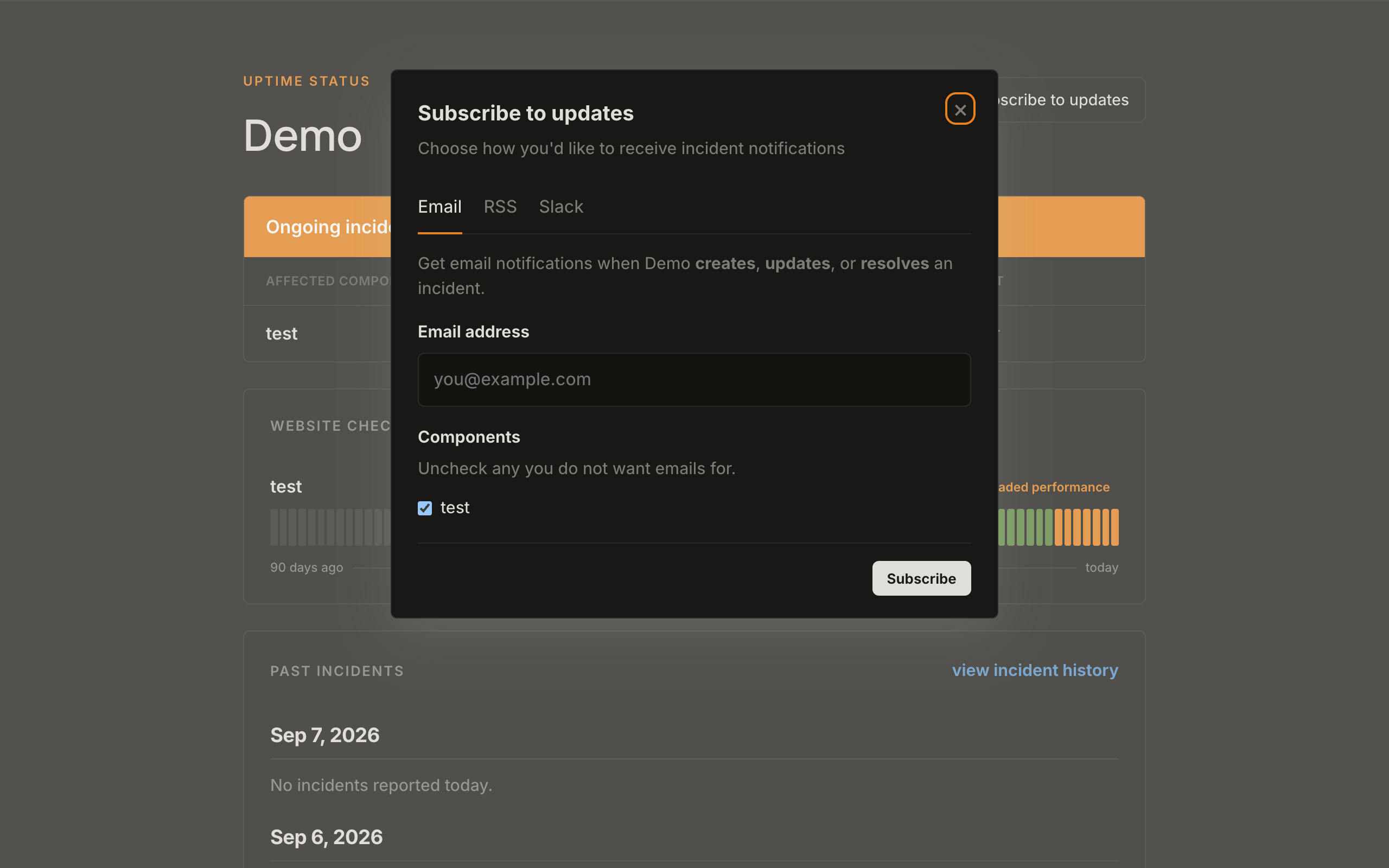
- Enter Email address.
- If you have components, Components checkboxes are all on. Uncheck any you do not want mail for.
- If you set a privacy policy URL on Page info, it is linked here.
- Click Subscribe.
- Check your email to confirm.
Return links show Subscription confirmed… or You have been unsubscribed. If email subscribe is unavailable, the UI says to use RSS or Slack instead.
RSS
The RSS tab shows a copyable feed URL: https://{slug}.status.scaledpapers.com/incidents.rss.
Slack (visitors)
The Slack tab shows /feed subscribe {rssUrl}. Paste that in a Slack channel. Slack only picks up incidents after the first fetch (usually a few minutes). It does not replay old ones.
Owner Slack (Apps)
Apps in the console is different: Add to Slack posts your incident opens and updates to a connected workspace channel. Disconnect removes it. That is not the same as a visitor running /feed subscribe.