Status pages
Components
Components are the services on a status page (API, website, and so on). They are not the same as Checks. A component’s public status still comes from incidents and the 90-day bar. You can link one check to a component so a down probe can open that incident for you, and so Ping (and the public page, if you opt in) can show response time.
A component can be linked to only one check. The check form marks already-linked components as already linked.
Add a component
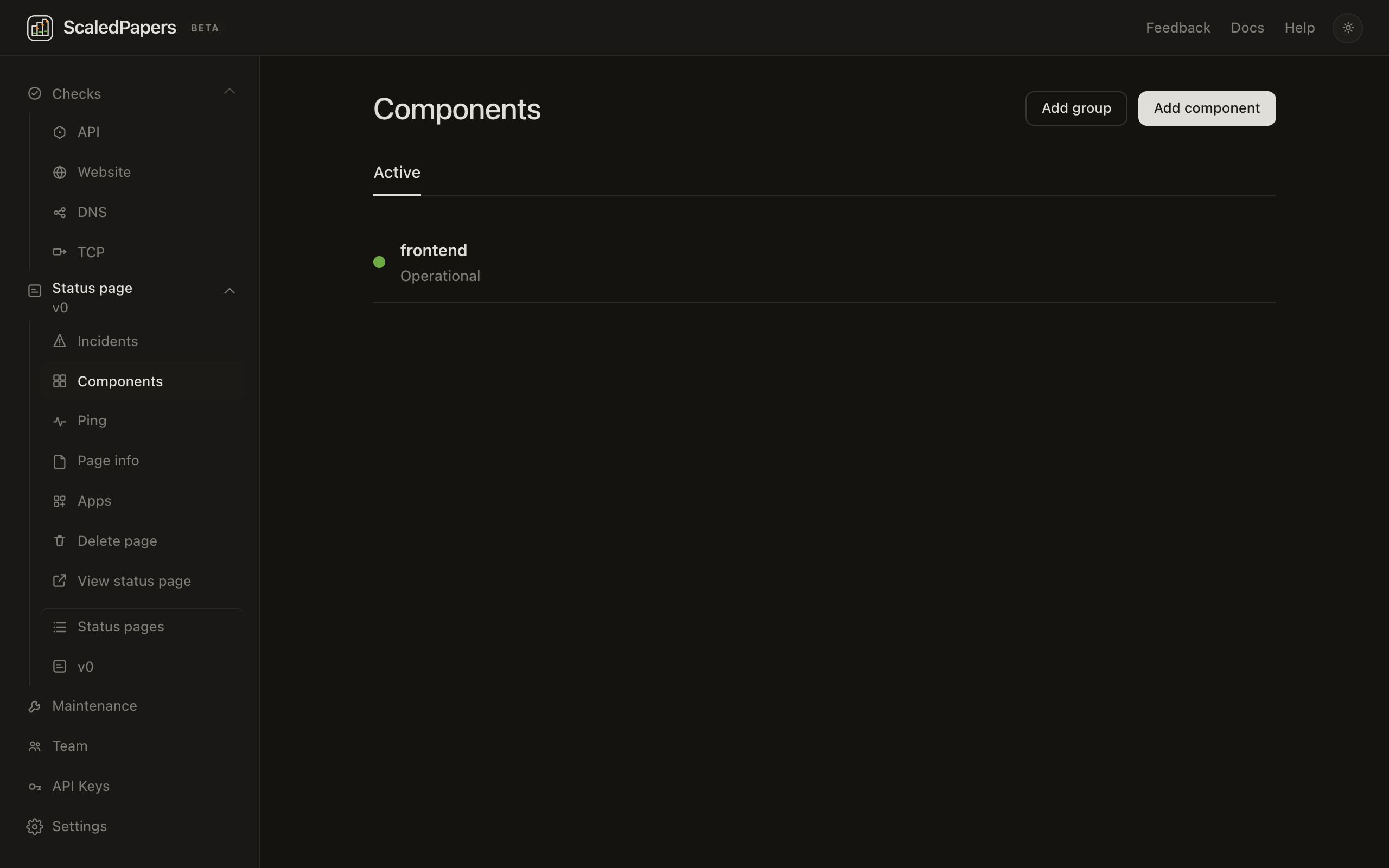
- Open Components.
- Go to Add component (
/app/{slug}/components/new). - Name is required (placeholder
API). - Component group — pick a group, or leave This component doesn't belong to a group.
- Click Add component.
Groups
On Components, Add group opens an inline Group name field (Cancel / Add). Delete group ungroups its components. The only tab is Active.
On the public page, groups are collapsible sections.
Edit a component
Open a component (/app/{slug}/components/{id}):
- Name and Component group
- Display the historical status of this component on my status page — turn this off and the public 90-day bar is hidden (the list shows Uptime hidden)
- Start date — days before this date are empty ticks on the bar
- A 90-day preview when uptime is on
- Read-only Component API ID with Copy
- Save or Delete
Visitor labels: Operational, Degraded performance, Outage. The page banner rolls those up to All systems operational, Degraded performance, Partial outage, or Major outage.