Checks
Add a check
Checks are ongoing HTTP probes from the console. They are not the homepage website checker. A component is a row on a public status page — you can link a check to one if you want incidents or metrics to follow the probe.
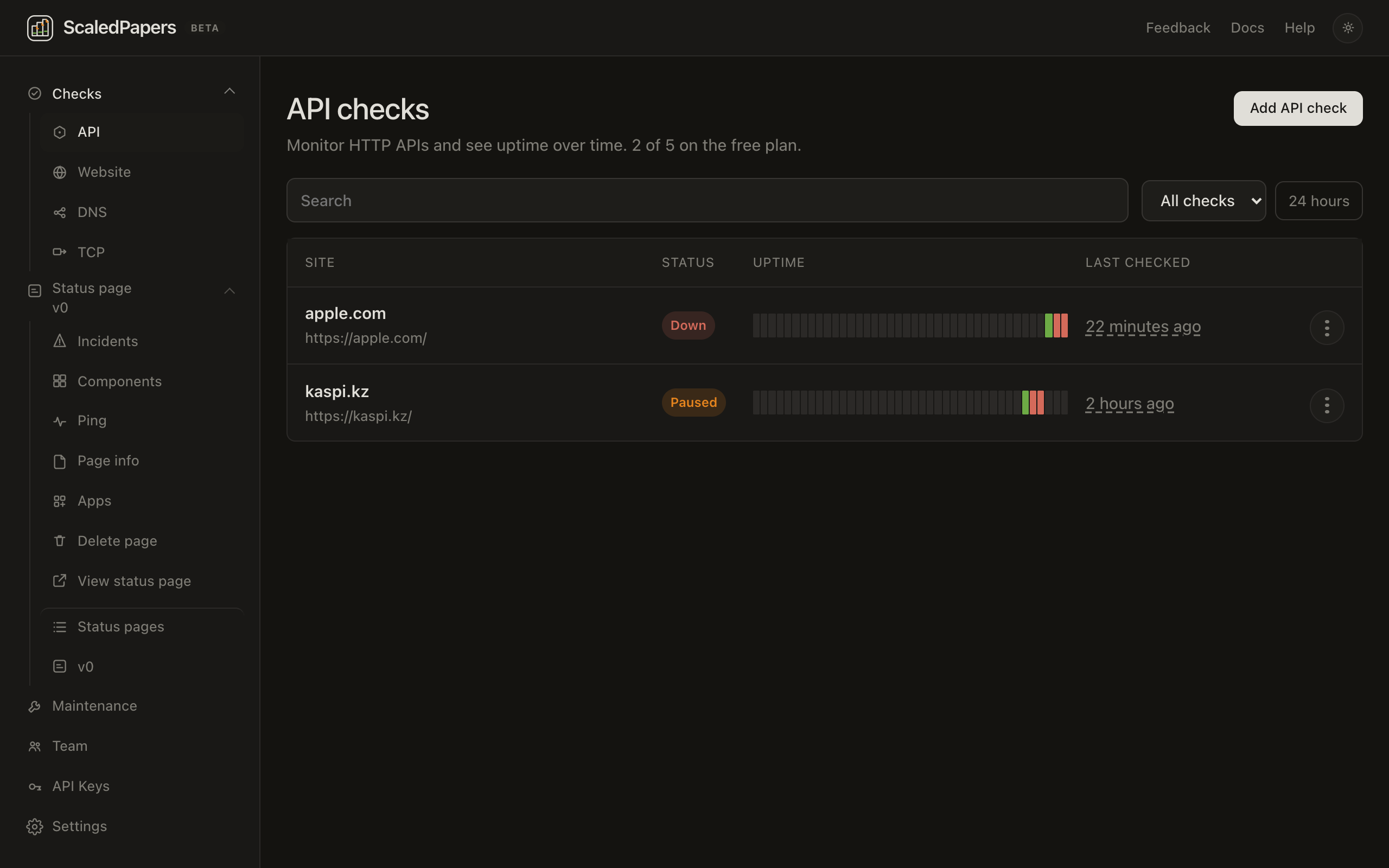
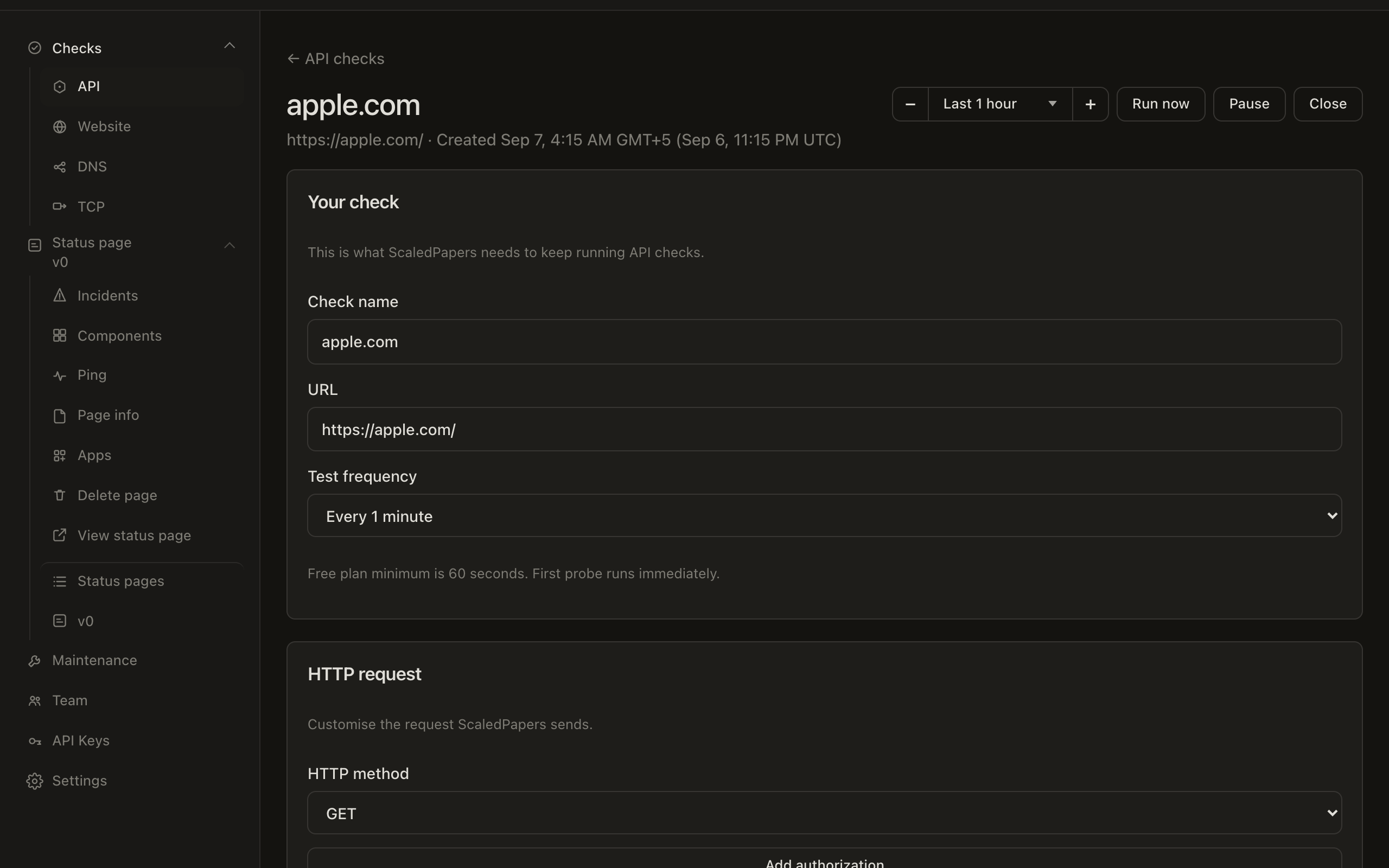
After you add a check, the detail page covers the 24-hour bar, chart, pause, and Run now. The same checks are available from the API.
API vs Website
Under Checks in the sidebar:
| Kind | List | What “up” means by default |
|---|---|---|
| API | /app/checks/api |
Exact status 200 (unless you change assertions) |
| Website | /app/checks/website |
Any HTTP status below 500 |
| DNS / TCP | Listed | Not creatable yet |
/app/checks redirects to API. Only API and Website have Add.
On the free plan you can have 5 checks, a minimum interval of 60 seconds, and all 5 probe regions. The list shows {used} of {max} on the {plan} plan. Samples on free are kept for 14 days.
Add a check
- Open Checks → API or Website.
- Click Add API check or Add website check.
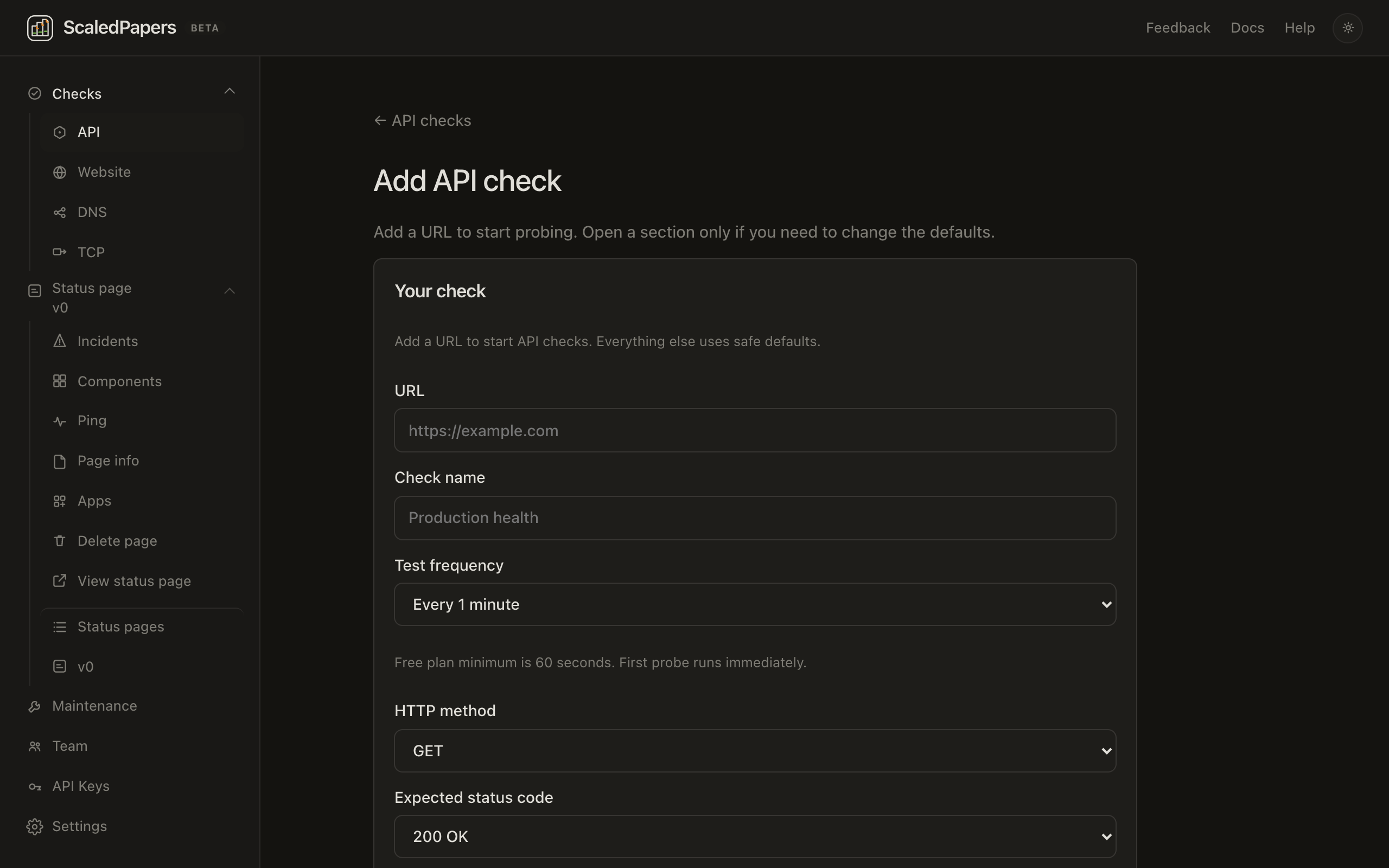
- Lead: Add a URL to start probing. Open a section only if you need to change the defaults.
- Fill in Your check, then open a fold only if you need it.
- Click Add check.
Empty list copy: Add a public URL. The engine probes it from San Francisco and stores uptime samples.
Your check
Hint on create: Add a URL to start API checks. Everything else uses safe defaults. (Website says website checks.)
| Field | Notes |
|---|---|
| URL | Required on create (shown first). Placeholder https://example.com. If you type example.com with no scheme, https:// is added on blur and on submit. |
| Check name | Placeholder Production health. If you leave it blank, the name is taken from the hostname. |
| Test frequency | 1, 2, 5, 15, 30, or 60 minutes. Hint: Free plan minimum is 60 seconds. First probe runs immediately. |
| HTTP method | On API create, GET is on this section. Website create hides it until HTTP request. |
| Expected status code | On Website create, 200 is on this section. API create hides it until Assertions. |
HTTP request
Folded on create. Summary shows the method.
- HTTP method — GET, POST, PUT, PATCH, DELETE, HEAD
- Optional HTTP authorization username / password
- HTTP body — disabled for GET and HEAD. Hint: Don't forget to add the correct Content-Type request header below.
- Request headers — add or remove rows
- Follow redirects — on by default
Regions
Folded on create. Summary: All 5 regions (or N of 5). Each box is {name} ({region}), for example San Francisco (us-west-1). All enabled locations start checked. You must leave at least one selected.
These five Americas regions are not the 16 cities on the homepage checker:
| Location | Region |
|---|---|
| San Francisco | us-west-1 |
| Ashburn | us-east-1 |
| Columbus | us-east-2 |
| Portland | us-west-2 |
| Montreal | ca-central-1 |
Each selected location gets its own probe on your interval.
Assertions
Folded on create. API hint: API checks treat the expected status as an exact match (default 200). Website hint: Website checks treat status 200 as any response below 500 unless you set a different code.
- Expected status code — default 200
- Text to search for (optional) — exact, case-sensitive match in the response body
- Extra assertions: Body contains, JSONPath equals, Status equals
Advanced
Folded on create. Hint: Getting alerts even though the site is still online? These are the settings to tweak.
- Confirmation period — 1 / 2 / 3 / 5 failed checks before an incident
- Recovery period — 1 / 2 / 3 successes to resolve
- Request timeout — 5 / 10 / 15 / 30 seconds
- Verify SSL certificate
Alerts
Folded on create. Send email alerts to your account email. Slack, Discord, PagerDuty, and Webhook show coming soon.
Status page
Folded on create. Hint: Link this check to a component on any of your status pages. Summary starts as Not linked.
- Pick a Status page, or leave None.
- Pick a Component. Options already linked to another check say already linked and cannot be chosen. One check per component.
- Optionally check Create an incident on this component when the check is down. Off unless you turn it on.
- Optionally check Show this metric on the public status page.
If you have no pages yet: Create a status page first to link this check. Linked incidents follow the confirmation and recovery periods above.
Save rejects private, loopback, and non-http(s) targets. You can also create and edit checks with an API key.