Status pages
Create a page
A status page is the public page your customers open. It lives at {slug}.status.scaledpapers.com.
You manage it in the console. Visitors never need an account. After the page exists, add components, incidents, and visitor subscribe. You can also link a check to a component from the check form.
Create
- Sign in and go to Status pages, or click New status page.
- Fill in Name (required).
- Slug is required. It is generated from the name as you type: lowercase, non-letters become
-, ends trimmed, max 40 characters. The live URL preview updates as you edit. - Click Create. You land on that page’s Incidents list.
The slug cannot be changed later. There is no slug field on Page info.
To throw the page away: Delete page in the sidebar (or the row menu on Status pages). You must type the slug to confirm. That removes the public page, its components, incidents, and the owner Slack connection.
What visitors see
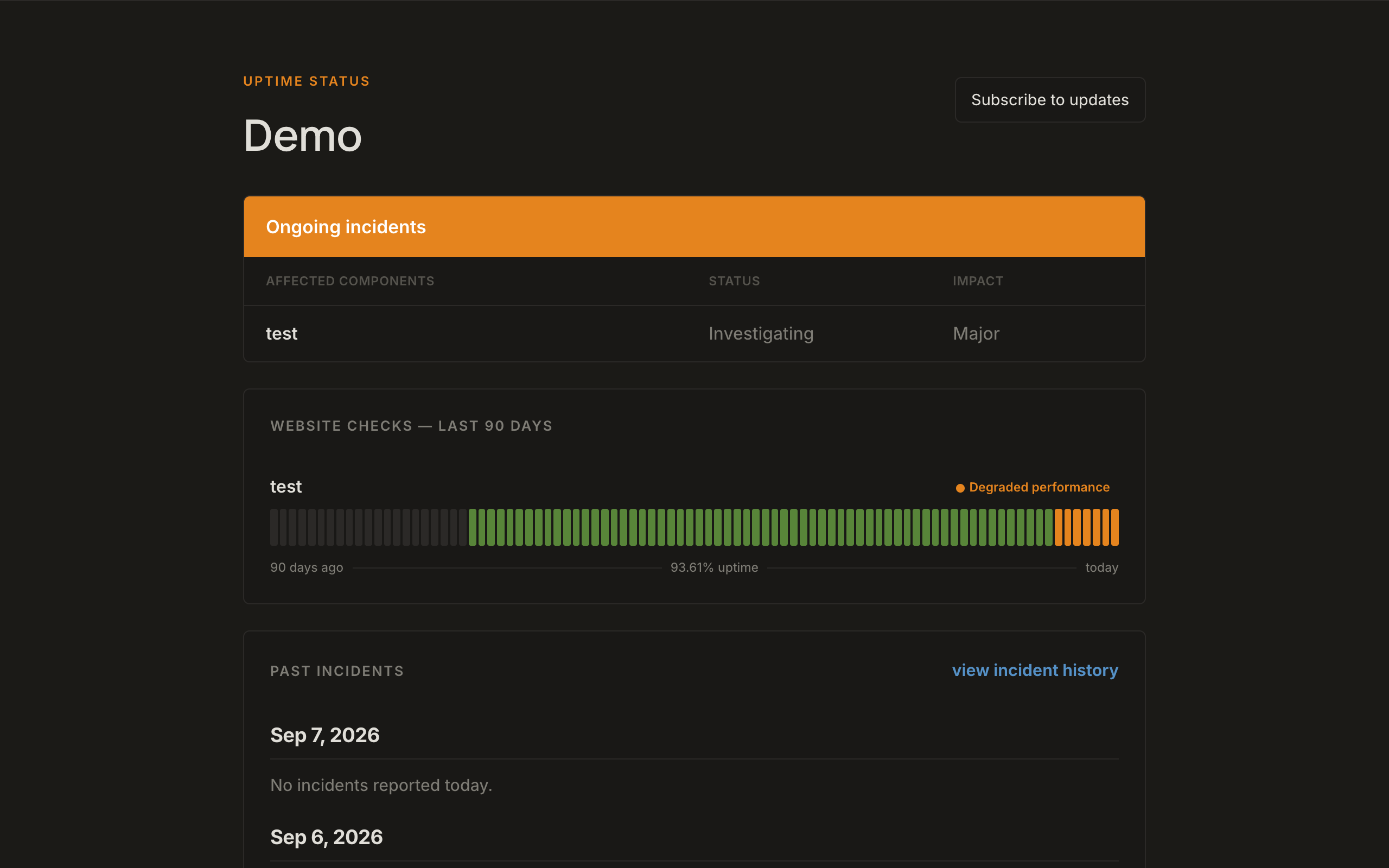
The public page shows:
- A banner: All systems operational, Degraded performance, Partial outage, or Major outage
- Website checks — last 90 days — each component’s status and a 90-day uptime bar
- Component labels: Operational, Degraded performance, Outage
- Groups as collapsible sections
- Ongoing incidents when something is open
- Past incidents and a link to full history (
/incidents, paginated) - Subscribe to updates
- Footer: Powered by ScaledPapers and a theme control (System / Dark / Light)
Incident URLs use a 12-character public id: {page}/incidents/{id}.
View status page in the console sidebar opens this URL in a new tab.
Page info
Page info (/app/{slug}/page) is the public identity of the page.
| Field | Required | Used for |
|---|---|---|
| Organization legal name | Yes | Invoicing copy (no billing yet) |
| Page name | Yes | Public title |
| Company website URL | No | Title links here |
| Support URL | No | Support link |
| Privacy policy URL | No | Shown in the subscribe modal |
| Page time zone | No (default UTC) | Incident timestamps |
Click Save page info.
Ping (/app/{slug}/ping) shows response-time charts for checks linked to this page. Empty copy: Link an API or Website check to a component on this status page to see response time here.
Custom domains are not in the UI. Team and maintenance windows are Coming soon. API keys are under Account → API.